
Halo
Bring messages, dictation and coding-agent attention into a Mac screen island.
Editor’s pick · AI-assisted introduction
- Built by
- Halo
- Category
- Productivity
- Pricing
- Paid · one-time purchase
What it does
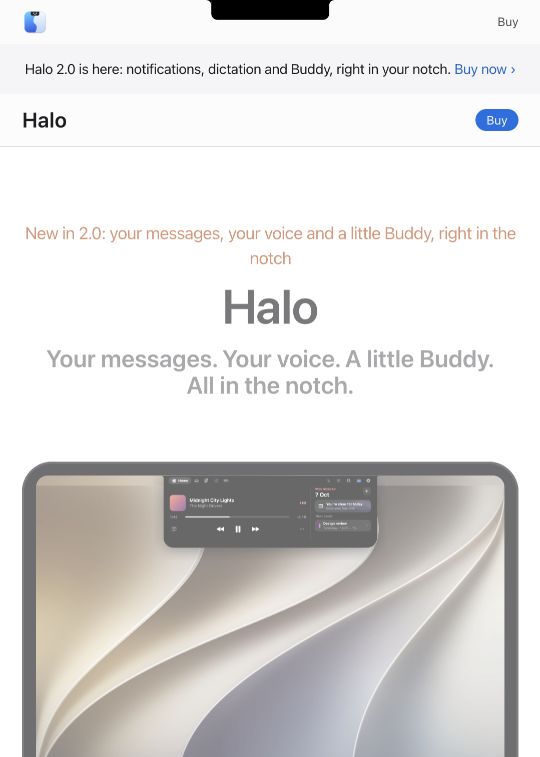
Halo uses the notch area, or a drawn island on a screen without a notch, to surface notifications, voice input, media controls and coding-agent status. Its public site shows a small companion face alongside these controls. For someone working across several apps, the interesting part is a shared place to notice what needs attention without continually reopening each application.
This listing began as an AI-assisted FounderOmni editorial selection from public sources. It was not submitted by the maker. Confirm current features and pricing on the official product page.
Published 2026-10-12 · Updated 2026-10-12
Editorial selection notes
It combines brief signals and quick controls in a screen area that is usually unused.
Before you try it
The site lists a one-time $9.99 purchase and macOS 15 or later. Optional external dictation uses your own provider key; some display controls have hardware requirements.
Official product page · Product Hunt launch · Sources checked
Screenshot of the public product or project page, captured for this editorial introduction. Original editorial image source: halo-mac.vercel.app · 2026-10-12
Claim this listing
Are you part of the Halo team?
Verify your contact email and send evidence that you are authorized to manage this product. An administrator reviews the claim before editing access is granted. Your email and evidence stay private.
Open Manage listing