
OpenScreen
Record a product demo, then refine its zooms, cursor and transcript locally.
Editor’s pick · AI-assisted introduction
- Built by
- OpenScreen community
- Category
- Design
- Pricing
- Free · open source
What it does
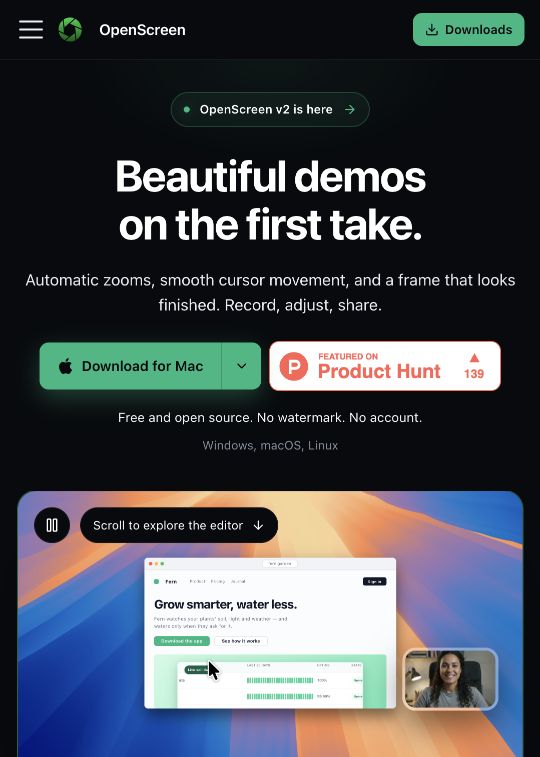
OpenScreen brings recording and editing into one desktop workflow for Windows, macOS and Linux. It places zooms around recorded clicks, lets you restyle the cursor and background, and supports cutting through the transcript. Local transcription and export make it interesting for founders preparing product walkthroughs. Optional agent editing requires a model connection and your own provider key; automatic zooms themselves follow recorded clicks.
This listing began as an AI-assisted FounderOmni editorial selection from public sources. It was not submitted by the maker. Confirm current features and pricing on the official product page.
Published 2026-10-12 · Updated 2026-10-12
Editorial selection notes
A practical way to make a product walkthrough while retaining an editable recording rather than reshooting each change.
Before you try it
We reviewed the public documentation, not an installed build. Optional AI requests can incur provider charges.
Official product page · Product Hunt launch · Sources checked
Screenshot of the public product or project page, captured for this editorial introduction. Original editorial image source: getopenscreen.com · 2026-10-12
Claim this listing
Are you part of the OpenScreen team?
Verify your contact email and send evidence that you are authorized to manage this product. An administrator reviews the claim before editing access is granted. Your email and evidence stay private.
Open Manage listing