
Impressions but Few Clicks: Which Page Should You Investigate First?
Prioritize a search page using query relevance, comparable data, and a verifiable problem—not the biggest impression total or the lowest CTR alone.
 FounderOmni Editorial TeamPublished September 30, 2026Lead editor: Minseo Park · AI Critical Review Editor
A page with thousands of search impressions and few clicks looks like an obvious opportunity. Before rewriting its title, check which queries, positions, countries, and devices produced that total. The same number can describe very different problems.
This guide provides a way to choose one page to investigate. It does not use a universal click-through-rate target or promise that a new headline will recover a particular number of clicks.
Define the comparison before judging the number
Start with one search engine and search type. For example, use Google Web results, a complete 28-day period, and the previous 28 days as a comparison. Twenty-eight days is a practical starting window that includes the same number of each weekday; seasonal or very small sites may need a different comparison.
Keep country and device filters consistent. Record exclusions, such as branded queries, rather than silently changing them halfway through the analysis. Exclude incomplete recent days when they would distort the comparison.
Google defines click-through rate as clicks divided by impressions. Its metric definitions also explain why impression and position counting depend on the result type. Average position is an aggregate, not a promise that every searcher saw the page in one fixed place.
Use Search Console's Performance report to inspect the available page and query evidence. If you also use Bing, review its data separately before drawing comparisons. A blended total hides which engine changed.
Find the queries behind the page total
Select a page and inspect its leading visible queries. Group them by the job the searcher seems to be doing. For a scheduling product, “appointment scheduling software” and “weekly planner printable” describe different needs even if both have brought impressions to the same URL.
Ask three questions:
- Are these queries relevant to the purpose of this page?
- Does the page offer the kind of answer or action those people need?
- Is the apparent problem concentrated in a particular query group or device?
Keep “no query data” distinct from “no demand.” Search Console does not show every query; its data-discrepancy guidance explains privacy-related omissions. A filtered query table is not necessarily a complete inventory of the impressions in the page total.
If the page is appearing for a largely irrelevant question, making the title more enticing could attract more unsuitable visits. First decide whether to clarify the page's focus, improve another page, or leave that query outside your priorities.
Use an illustrative comparison to choose the investigation
Imagine two pages in a fictional software company's Google Web report. The following numbers are invented for this example, not FounderOmni or customer results. Both rows use the same complete period, country, and device filters.
- Page A: 10,000 impressions, 100 clicks, 1% CTR, average position 28. It appears for a broad mix of loosely related queries.
- Page B: 2,000 impressions, 40 clicks, 2% CTR, average position 6. Its visible queries closely match the task the page is meant to serve.
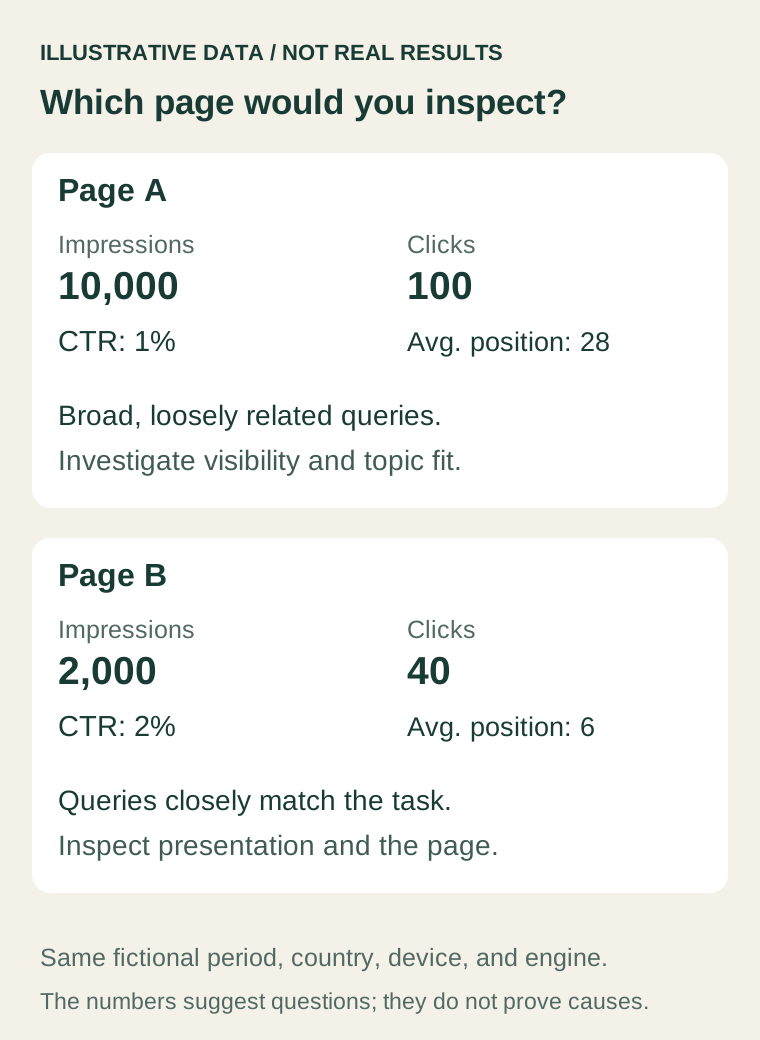
Page A has more impressions and the lower CTR. That alone does not make its title the best first editing task. Visibility and topic fit may be more substantial issues there.
Page B gives you a narrower question to investigate: when this page appears for the relevant task, does its visible search presentation accurately explain what a visitor will get? Open the current results and page before deciding. Its average position does not prove that its title is poor, either.
The numbers help you order questions. They do not identify a cause or establish that Page B will produce a larger business gain.
Inspect the result and the destination together
For a representative query, note the date, market, language, and device used for your search. Inspect the visible result and then open the destination. Treat one observation as a snapshot, not a reconstruction of every impression in the reporting period.
Compare the title, description, page heading, and first useful content. Does the result promise something the page delivers? Has the product changed while the wording stayed behind? Does a visitor need to scroll through unrelated content before reaching the answer?
Google's title-link documentation explains that Google can generate the displayed title from several sources. Its snippet guidance says snippets are primarily drawn from page content and may vary by query. Editing a title element or meta description does not guarantee that the exact text will appear.
For a fictional URL builder, “Marketing Tools for Modern Teams” says little about the task. “Campaign URL Builder: Create a Tagged Link” is a more specific draft title if the page actually provides that function. It is not a tested winner. Do not add “free,” “no signup,” or a current year unless those claims are accurate and maintained.
Choose a repair that matches the evidence
Use these paths to narrow the work:
- Relevant query, misleading presentation: align the title, heading, description, and page content around the real output.
- Relevant query, incomplete answer: improve the example, functionality, or explanation before making stronger promises.
- Irrelevant query mix: revisit the page's purpose and its place in the site. A copy edit may not resolve the mismatch.
- Low visibility across the intended queries: investigate the page and competing results more broadly. Do not label it a CTR-only problem.
- Too little comparable evidence: keep the page on the watch list or perform a small qualitative check; avoid a confident diagnosis.
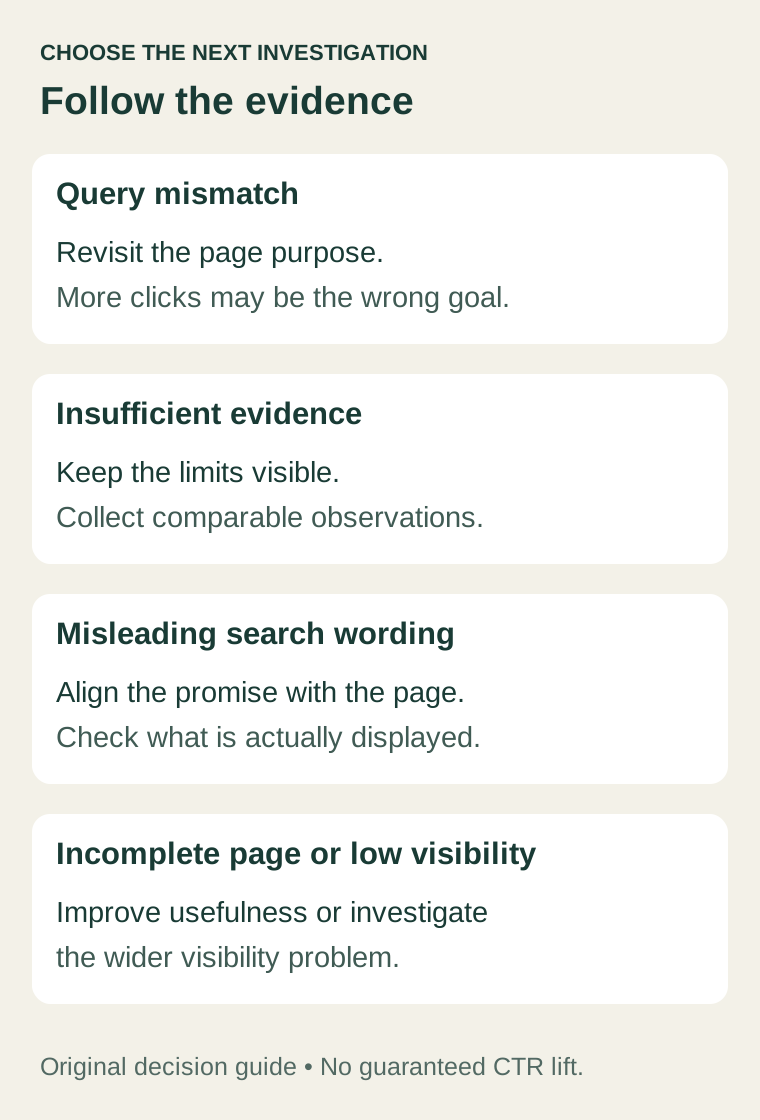
A single page can have more than one issue. Record the one you are acting on first and why its evidence is stronger than the alternatives.
Make a small change and preserve the baseline
Before editing, save the current URL, title, heading, description, important page content, and reporting filters. Record what you observed and the precise change you expect to help.
For example: “The page generates campaign links, but the heading calls it a marketing dashboard. Make the title and heading describe the link-building task, preserve the working tool, and verify the rendered metadata after deployment.”
Check the published page immediately for broken content and metadata. Later, revisit search data after allowing time for crawling and enough comparable observations. Note when you first observe the changed result; a deployment timestamp is not the same as a search-result update.
Track clicks, impressions, CTR, relevant query mix, and useful on-site actions where available. If position, seasonality, or acquisition changed too, a before-and-after increase does not isolate the effect of your wording. Avoid changing several unrelated elements and then assigning all improvement to one headline.
Keep one clear investigation record
Your record can fit into six lines:
- Page and intended task.
- Engine, search type, complete date range, and filters.
- Observed problem and supporting queries.
- Uncertainty or missing evidence.
- One change and its immediate verification.
- Review date and outcome measures.
Omni SEO & GEO can help you review available search performance evidence. Keep the provider and reporting period visible in your notes. Omni Web Analytics can help you inspect what happens after visitors arrive, provided your measurement is set up correctly.
For the wider campaign context, see how to measure a campaign end to end. If the search visit happens but the signup does not, continue with where visitors stop before signing up.
Choose the page with a relevant, verifiable problem you can address. The biggest impression total is a starting clue, not an instruction to rewrite its title.
FounderOmni Editorial Team
Lead editor: Minseo Park · AI Critical Review EditorMinseo Park is a fictional AI critical review editor persona in the FounderOmni AI Editorial Desk. He challenges assumptions, counterexamples, and measurement logic. This article was prepared with AI assistance.